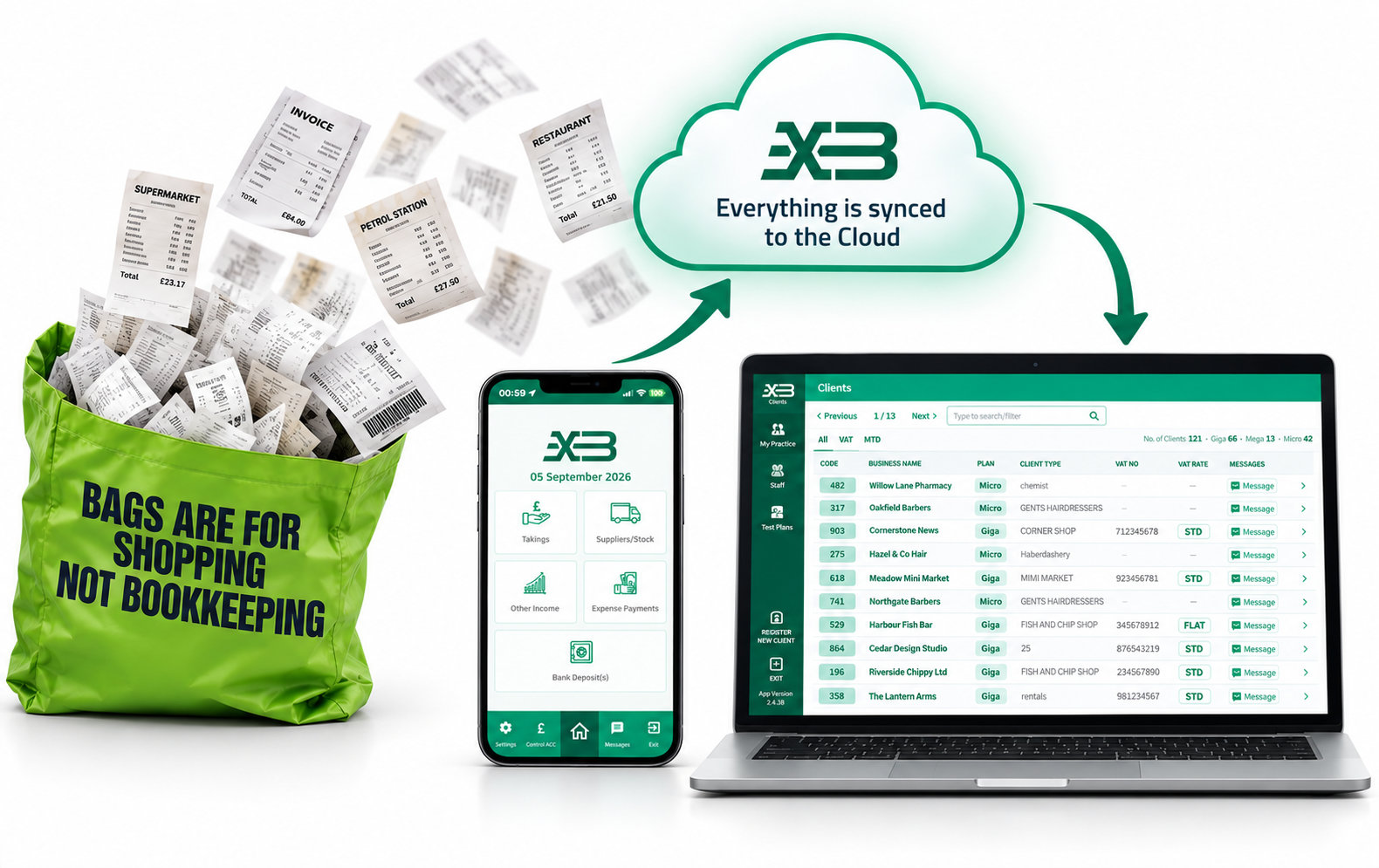
Accounting software designed around the real problem

Get usable client records back. Without typing them in again.

Simple for your clients. Better for your practice.

XpressoBooks helps clients record what actually happened, in the correct week, and gives your practice the controls and reports needed to keep the books properly.

XpressoBooks client home screen showing five non-VAT bookkeeping buttons
Actual non-VAT client home screen

Designed with accountants in mind

FocusedNo feature bloat
FastLess re-keying
Frustration-freeNo bookkeeping training

The real bottleneck is not features

If clients will not use it, it will not speed you up.

An app can have every feature and extra going. But if it feels difficult, clients either need constant hand-holding or go back to the shoebox. Either way, you are still waiting. XpressoBooks focuses on the problem that matters most - helping clients get usable records to you, in good time.

01

Simple for the client

No codes to learn and no accounting knowledge needed. They record the business events they already understand.

02

Useful for the accountant

Monthly reports, cash and bank controls, summaries and VAT information arrive in a structure made for review.

03

Deliberately focused

Every screen earns its place. Clients see the tools that apply to them and nothing they do not need.

How it works

From practice setup to usable records

  1. 1

    Register your practice

    Your accountant administration is free.

  2. 2

    Set up the client

    Choose only the areas and accounts they need.

  3. 3

    Client records events

    Takings, income, purchases, expenses and bankings.

  4. 4

    You review

    Use organised reports, controls and summaries.

Why this matters

Less re-keying. Less chasing. Better records.

Register your practice
  • Less time rebuilding client records
  • More information before deadlines
  • Better organised supporting documents
  • Clients do not need to understand accounting
  • Your practice keeps control
  • Free accountant administration

What clients see

See what your client actually uses

Five clear areas for non-VAT clients. VAT appears only when it applies. The screen stays balanced instead of leaving an empty space where VAT would have been.

Non-VAT clients

Five clear working areas

  • Takings
  • Suppliers / Stock
  • Other Income
  • Expense Payments
  • Bank Deposit(s)

VAT-registered clients

A sixth VAT area appears

  • Takings
  • Suppliers / Stock
  • Other Income
  • Expense Payments
  • Bank Deposit(s)
  • VAT position
Daily bookkeeping stays separate from the VAT work handled by the accountant.

Try every setup

Four demonstration accounts are ready when an accountant registers.

Explore a non-VAT setup, the available client options, and both Giga VAT methods before introducing XpressoBooks to a client.

  1. 01Non-VAT demonstration
  2. 02Full-option demonstration
  3. 03Giga - standard-rate VAT
  4. 04Giga - flat-rate VAT

Pricing made easy

Clients pay as they join. Your accountant dashboard is free.

There are no practice tiers and no bundles of client slots to fill. Clients buy the app version that fits when they first log in.

Why? It avoids invoicing hassle and stops your practice overpaying for unused clients. Start with one and grow at your own pace.

Micro

£35 / year

Small non-VAT businesses

Up to 1,200 transactions a year.

Mega

£70 / year

Growing non-VAT businesses

Unlimited transactions.

Giga

£110 / year

VAT-registered businesses

Unlimited transactions and live VAT position.
See full pricing and plan details →

Questions

Useful answers before you start

Does the client need bookkeeping knowledge?

No. The app asks clients to record familiar events - what came in, what went out and what reached the bank.

What does the accountant pay?

The accountant administration is free. Clients buy the appropriate annual app plan as they join.

Can I use it for VAT clients?

Yes. VAT-registered clients use Giga and see a sixth VAT button with their current VAT position. Non-VAT clients do not see that button.

Can staff access client accounts?

The practice tools are designed for controlled staff access. Confirm your required setup during onboarding.

Can I see how clients use it?

Yes. The client walkthrough shows the few everyday steps, with links to the detailed mobile manual and one-page quick guide.

Elegant simplicity

Ready to make client records easier to handle?

Register your practice and start with the clients who need the simplest route to good records.

Register your practiceAlready registered? Log in →